Already have the code?
Start there.
Install Boombox, connect your coding agent to an existing repository and stand up your first part.
Install Boombox.
One installation includes the CLI, TypeScript SDK, agent skills, schemas and a local test setup. It includes its own runtime, so you do not need to install Node, npm or Rust separately.
On macOS or Linux with Homebrew:
brew install KonstantCloud/tap/boomboxOr use the macOS/Linux installer:
curl -fsSL https://github.com/KonstantCloud/boombox/releases/latest/download/install.sh | shWindows archives and Debian/Ubuntu packages are available from the official releases. Keep the complete installation together.
Connect your coding agent.
From your existing project directory:
boombox project init . --client claude --client codex --json
boombox tree
boombox docs agents
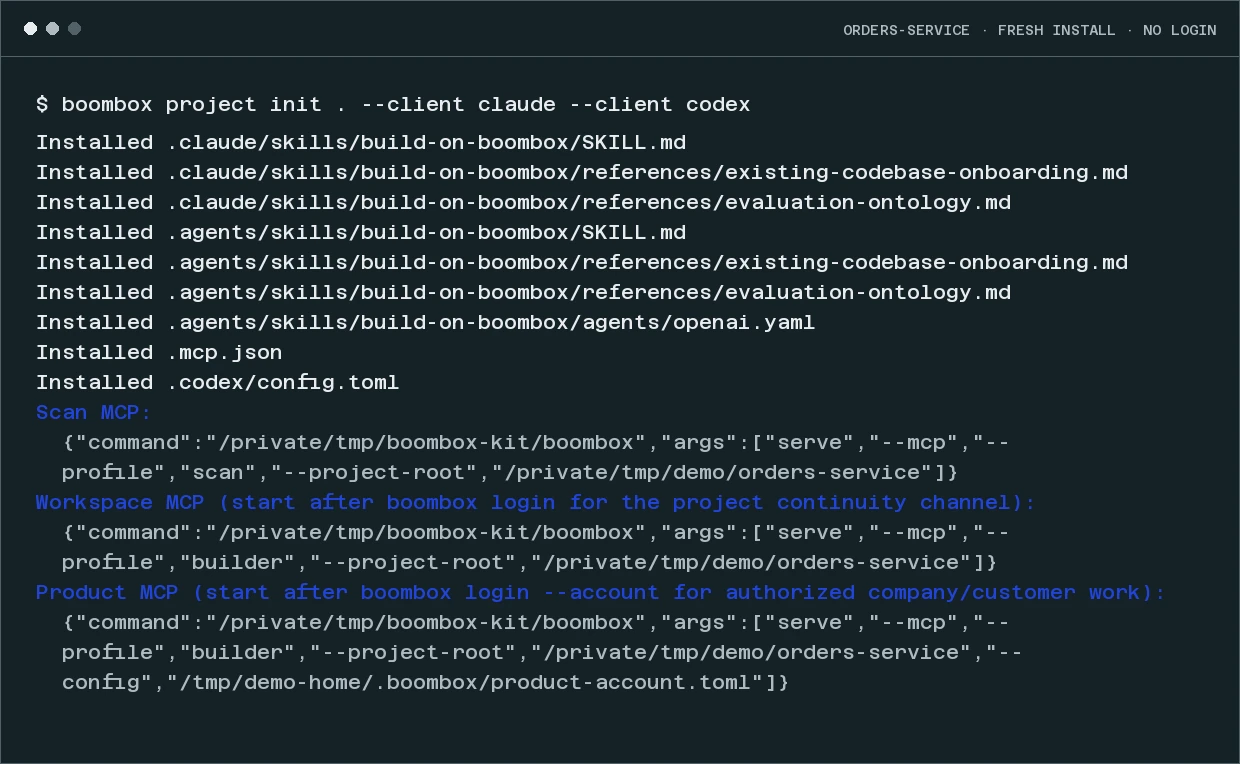
Initialization adds the build-on-boombox skill and a credential-free local MCP connection for the selected agents, and returns the exact connection commands for the project. Reload your coding agent, then ask:
Use build-on-boombox to inspect this codebase and build the smallest working Product slice. Keep our language and existing tests. Prove it locally, then use our authorized account for any connected work.
The agent inspects the repository, proposes the parts and tests the first one locally without a Boombox login. Initialization does not upload the repository or deploy an application.
Connect the account
the work needs.
When a part needs company capabilities, data or deployment, run boombox login --account. Sign in and choose an authorized Product account by company name. Use the connection and available targets returned for that account.
The optional builder workspace uses boombox login. It carries project continuity, requests for missing platform capabilities and evaluation facts. Product-account access remains a separate connection.
project init returns the corresponding MCP commands. Register the appropriate connected command after login; only the local scan connection is registered automatically.
Keep your language.
Name the part.
Your application keeps its implementation language, runtime, build tools, existing tests and deployment requirements. Use the account’s published contracts to connect parts to the work. Applications call parts over HTTP or the SDK directly, not through the CLI per request.
If your application imports the TypeScript SDK or you choose npm distribution, pin the package exactly: npm install --save-dev --save-exact --ignore-scripts @konstantdotcloud/boombox. Pin the exact version listed in the release notes, then run node ./node_modules/@konstantdotcloud/boombox/dist/boombox.js project init . --client claude --client codex --json. Keep that dependency and lockfile; do not use unpinned npx.
boombox tree shows the installed tools. boombox docs agents opens the agent guide. boombox paths --json locates the bundled SDK, schemas and test fixtures.
A first useful result is a working local part or an application deployed to an authorized target. Judge it by what someone can use.
Keep going.
Put one part
into use.
A recurring decision. A method you already trust. An application with somewhere new to go.
Discuss your first part